Automated BigCommerce Migration
In the early days of eCommerce, moving your store from one platform to another was a digital nightmare. It involved messy CSV files, broken images, and weeks of copy-pasting data. Today, technology has evolved. Automated migration has transformed this high-risk procedure into a secure, predictable, and streamlined process. This guide explores how automation works for BigCommerce migrations, why it is the industry standard for 2025, and how you can leverage it to move to BigCommerce without losing a single order.
What is Automated Migration to BigCommerce?
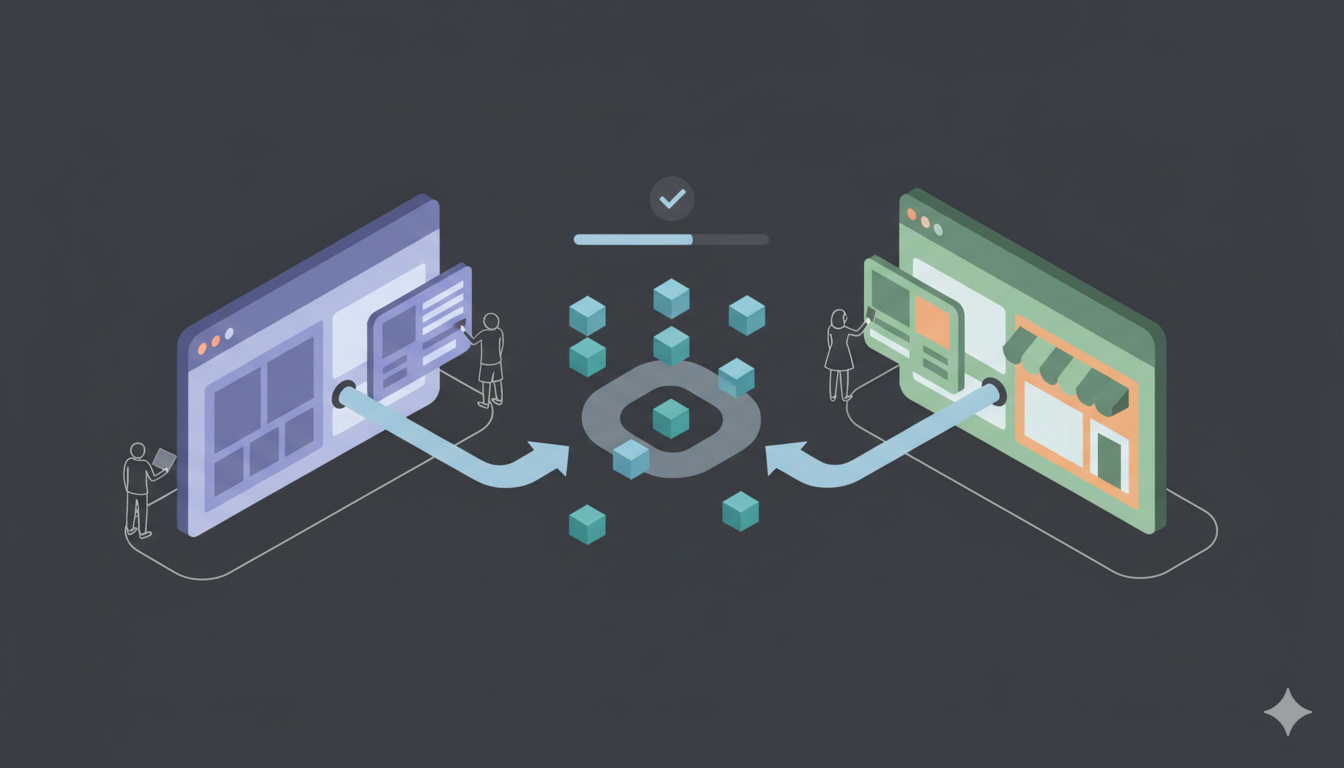
Automated migration to BigCommerce is the process of using specialized software to transfer data between your current eCommerce platform and BigCommerce without human intervention. Instead of manually exporting and importing CSV files, the software connects to the Source Store (e.g., Shopify, Magento, WooCommerce) via API and transfers data to BigCommerce using Admin API credentials.
Think of it as a digital pipeline. The software reads the data from your old store, translates it into a format BigCommerce understands (accounting for BigCommerce's product variant structure and categories), and writes it directly into your BigCommerce store. This ensures that complex relationships—like a specific customer being linked to a specific order history—are preserved perfectly.
The Evolution: Manual vs. Automated
To appreciate the power of automation, you must understand the limitations of the "Old Way."
| Feature | Manual Migration (CSV) | Automated Migration |
|---|---|---|
| Speed | Weeks or Months | Hours (1-5 hours average) |
| Accuracy | High risk of human error | Near 100% precision |
| Downtime | Store often in maintenance mode | Zero Downtime (Store stays live) |
| Technical Skill | Requires Excel/CSV expertise | No coding skills required |
| BigCommerce Data Structure | Must handle manually | Handled automatically |
| Password Migration | Impossible manually | Supported where feasible |
Why Automation is the Safest Choice for BigCommerce
1. Zero Downtime (Keep Selling)
The biggest fear for merchants is "closing the doors" during a move. With automated tools like Big Migration, your current store remains 100% live and functional throughout the process. The data transfer happens in the background on a cloud server. You continue to process orders and serve customers on your old platform until the very moment you are ready to switch your domain to BigCommerce.
2. Data Integrity & Relationships
Data is not just a list of items; it is a web of relationships.
Example: Order #1001 contains Product A and was bought by Customer B.
If you migrate via CSV manually, these links often break. You might get the Order, but it won't be linked to the Customer's profile. Automated migration uses "smart mapping" to ensure that when Order #1001 lands in BigCommerce, it is still linked to Customer B and Product A, preserving your analytics and history.
3. BigCommerce-Specific Format Handling
BigCommerce has specific product variant structure and categories that automated tools handle automatically:
- Category Mapping: BigCommerce uses "Categories" terminology. Automated tools map categories correctly.
- Product Options: BigCommerce supports product options and variants. Automated tools preserve complex option structures.
- Image Migration: Images are downloaded from source and uploaded to BigCommerce's CDN automatically.
- Data Structure: Data is structured to match BigCommerce's API schema automatically.
- Password Migration: Customer passwords can be migrated where technically feasible.
4. Password Migration Support
Important Advantage: BigCommerce supports password migration when the source platform uses compatible hashing. Automated tools can migrate customer passwords where feasible, preserving customer access. Customers can log in immediately after migration without resetting passwords when supported.
How It Works: The "Bridge" Architecture for BigCommerce
At Big Migration, we utilize a secure "Connection Bridge" architecture specifically designed for BigCommerce's API-based platform. Here is the technical breakdown simplified:
- The Source Connector: We connect to your current store (e.g., Shopify, Magento) using its API key. This gives us "Read-Only" access to fetch data.
- The Target Connector: We connect to your BigCommerce store using Admin API credentials. This provides secure access to BigCommerce's data structure.
- The Cloud Engine: Our server sits in the middle. It pulls data from the Source, converts it into BigCommerce's format (handling product variants and categories), and pushes it to BigCommerce via Admin API.
This method is secure because your data is not stored permanently on our servers—it just passes through the processing engine. BigCommerce is a hosted platform, so no extension installation is required—only API credentials.
Step-by-Step: The Automated Workflow for BigCommerce
What does this look like for you? The process is designed to be a 3-step wizard.
Step 1: Configuration
You enter the URL of your old store and your new BigCommerce store. You provide API credentials for both platforms. For BigCommerce, you create an API account in the Control Panel and grant the necessary scopes.
Step 2: Entity Selection & Mapping
You don't have to move everything. You get a checklist:
- Products & Categories
- Customers (Note: Passwords can be migrated where supported)
- Orders & Taxes
- Reviews & Coupons
- Blog Posts (CMS Pages)
Advanced Mapping: This is where you map your old "Order Statuses" to BigCommerce statuses. For example, you can tell the system that "Awaiting Fulfillment" on your old cart should equal "Pending" in BigCommerce. The tool also handles product variants automatically, preserving BigCommerce's option structure.
Step 3: Free Demo Migration
Before paying a cent, you run a Demo Migration. This moves a small sample of data (e.g., 20 products and customers) to your new BigCommerce store. This allows you to verify that images are loading, categories are correct, and product variants are displaying properly.
Step 4: Full Migration
Once you verify the demo, you launch the Full Migration. You can close your browser and turn off your computer. The cloud server handles the transfer. Depending on the size of your store, you will receive an email notification in a few minutes or hours when it is complete. BigCommerce's API efficiently handles large catalogs.
The "Recent Data" Challenge (And Solution)
Here is a common scenario: You start the Full Migration on Monday. It finishes on Monday afternoon. However, you spend the next 5 days customizing your BigCommerce store design and setting up payment gateways. During those 5 days, your old store is still live and taking orders.
If you launch your new store on Friday, you will be missing the orders from Monday to Friday. This is where automation shines again.
Big Migration offers a feature called "Recent Data Migration." Just before you switch your domain and go live, you run this service. It scans your old store, identifies only the data created since the Full Migration, and adds it to BigCommerce. It prevents duplicates and ensures no sale is left behind.
BigCommerce-Specific Advantages of Automation
1. Handles Product Structure Complexity
BigCommerce's product variant structure has specific API requirements that are easy to get wrong manually. Automated tools structure the data correctly automatically, preventing import errors.
2. Product Options and Variants
BigCommerce supports product options (Size, Color, Material, Custom Text). If you have products with multiple attributes, automated tools preserve these fully, whereas manual CSV imports often fail or simplify incorrectly.
3. Category Mapping
BigCommerce uses "Categories" terminology. Automated tools map your category structure to BigCommerce categories automatically, preserving your product organization.
4. Image Handling
Automated tools download images from your source store and upload them to BigCommerce's CDN automatically. Manual CSV imports only handle image URLs, which often break.
5. Password Migration
BigCommerce supports password migration when the source platform uses compatible hashing. Automated tools can migrate customer passwords where feasible—preserving customer access when technically possible.
Conclusion
Automated migration has democratized re-platforming to BigCommerce. It is no longer a luxury service reserved for enterprise brands with massive IT budgets. Whether you are a small boutique moving from Etsy or a scaling brand leaving Magento, automation provides a secure, affordable, and accurate path to BigCommerce.
By removing human error and the need for API expertise, tools like Big Migration allow you to focus on what really matters: customizing your BigCommerce store design and welcoming your customers to a better experience.
Ready to automate your move to BigCommerce? Start your Free Demo Migration today.